MacFusion: mounting FTP/SFTP with integration into the Finder (OS X) 2007-07-31
This is fun: MacFusion mounts FTP/SFTP connections so they appear in the Finder and are accessible by any application. This means you can move files from and to the server just like with any other drive.
A great thing: This way you can edit files directly on your server with your favourite text editor (just in case VI is NOT your favourite editor; otherwise you’ve been doing this for 30 years).
MacFusion is just the GUI for FUSE ported to the Mac by Google. In order to run MacFusion you need to install MacFUSE (and SSHfs for SSH-support) first.
Did I mention it is free?
Oh and one thing to know: The OS X finder will automatically create hidden .DS_STORE files in each directory (for saving the view settings), which is pretty annoying, but you should know about.
Drupal: Workflow and Revision Moderation modules don't play together 2007-07-02
Besides the Revisions Moderation module of Drupal needing a fix before it works, it won’t work with the Workflow module as most people would like or expect:
The Workflow module will only work for the most recent/approved revision. So if you, for example, have a “live” and a “draft” status in your workflow, where the move from “live” to “draft” will unpublish the node, it will become inaccessible for everyone else; not only the revision, as you might expect or hope.
Someone might need to work on this.
Drag-and-drop attachments in Thunderbird 2006-12-21
Oh, it always annoyed me, that you can’t simply drag-and-drop attachments into the message part of the window in Mozilla Thunderbird as you can in Outlook. Especially if it’s a couple more files, it is pretty tiring to always click “add” and select each one.
Now, completely by accident, I found out, that you actually can add files by drag-and-drop, even multiple ones!
In Thunderbird, you have to drop it either onto the attachment button, the subject field, or the receiver field. That is months after my first use and I don’t consider myself a computer noob. Now, let’s talk about usability again. ;)
Free (and useful) Download Manager 2006-09-23
Free Download Manager is a free (oh, really?) and powerful download manager for Windows.
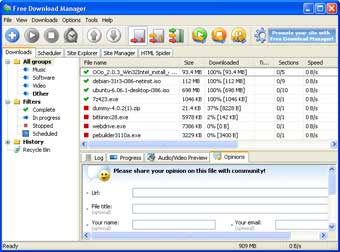
It offers all you can ask a download manager to do: It can split downloads into chunks for simultanous download, resume and time downloads for later, limit bandwith, and, of course get files from ftp, http, https sites. It just does what it should and is easy to use.
Seriously, I’ve been looking for this for years. 5 stars, period.